
Summary
The AEME package hosts four one-dimensional hydrodynamic models: the DYnamic REservoir Simulation Model (DYRESM), the General Lake Model (GLM), the General Ocean Turbulence Model (GOTM, which has been adapted for closed basins for application to lakes and reservoirs), and Simstrat. The models can be coupled to their corresponding water quality models, the DYRESM-CAEDYM (Computational Aquatic Ecosystem Dynamics Model), GLM-AED (Aquatic Ecosystem Dynamics Model), GOTM-WET (Water Ecosystem Tool), and Simstrat-AED2/AED.
This vignette assumes at least one model is already installed – see
vignette("installing-models") if build_aeme()
below reports a missing executable.
Key aspects of the AEME package include:
Defined S4 class for
aemeobjectsConfiguration of models from common and standardised inputs
Standardised calibration, manipulation and visualisation
AEME object
Description
The aeme object is the main object in the AEME package.
It is an S4 class that contains all the information required to run a
model. The aeme object contains the following slots:
- lake - a list object containing information about the lake (name, id, latitude, longitude, elevation, depth, area)
- time - a list object containing information about the time (start, stop, spin_up, time_step)
- configuration - a list object containing information about the configuration (model_controls, dy_cd, glm_aed, gotm_wet)
- observations - a list object containing information about the observations (lake, level)
- inputs - a list object containing information about the inputs (init_profile, init_depth, hypsograph, meteo, use_lw, Kw)
- inflows - a list object containing information about the inflows (data, factor)
- outflows - a list object containing information about the outflows (data, outflow_lvl, factor)
- water_balance - a list object containing information about the water balance configuration (use, method, data)
- parameters - a data.frame describing the parameters to be input with column names (model, file, name, value, min, max, module, group)
- output - a list object containing information about the outputs (n_members)
Lake
The lake slot contains information about the lake. It is
a list object that contains the following objects:
name - Name of the lake (character).
id - Lake ID (character or numeric).
latitude - Latitude of the lake (numeric). If not provided, the latitude will be calculated from the centroid of the shape.
longitude - Longitude of the lake (numeric). If not provided, the longitude will be calculated from the centroid of the shape.
elevation - Elevation of the lake (numeric).
shape - Shape of the lake (sf object). The shape of the lake can be represented as a polygon. The centroid of the polygon will be used to calculate the latitude and longitude of the lake.
depth - Max depth of the lake (m) (numeric). Depth and area are used to generate a simple hypsographic curve if none is provided in the
inputsslot.area - Surface area of the lake (m2) (numeric)
Objects in bold are required for building and running the model.
Time
The time slot contains information about the time. It is
a list object that contains the following objects:
start - Start date of the simulation (character). The start date must be in the format
YYYY-MM-DD HH:MM:SS.stop - End date of the simulation (character). The end date must be in the format
YYYY-MM-DD HH:MM:SS.timestep - Timestep of the simulation (numeric). The timestep must be in seconds.
spin_up - List of spin up periods of the simulation for each model (numeric). The spin up period must be in days. The spin up period is the period of time that the model is run before the simulation period. The spin up period is used to initialise the model which is then discarded when examining the simulation period.
Configuration
The configuration slot is a list that contains each of
the model configurations. This includes the configurations files for the
hydrodynamic components as well as the aquatic ecosystem model
components:
| Model | Hyrodynamic | Ecosystem |
|---|---|---|
| DYRESM-CAEDYM | .cfg file and .par file | .con, caedym3p1.bio, caedym3p1.chm and caedym3p1.sed files |
| GLM-AED | GLM hydrodynamic nml (glm3.nml or glm4.nml) | aed.nml (or aed2.nml) and its phytoplankton/zooplankton parameter files |
| GOTM-WET | gotm.yaml and output.yaml files | fabm.yaml file |
When build_aeme() is ran, the
model_controls data.frame that is passed to the function as
an argument is added to the configuration slot.
For more details on the model_controls, see it’s section
below.
Observations
The observations slot is a list that contains
observations of in-lake (lake) variables (e.g. water
temperature, chlorophyll-a, dissolved oxygen etc.) and water level
(level). The observations are used to assess model
performance using the function and also to calibrate the model using the
aemetools
package.
The lake observations are stored in a data frame with
the following required columns:
Date - Date of the observation (character). The date must be in the format
YYYY-MM-DD HH:MM:SS.depth - Nominal sampling depth of the observation (m, numeric), positive-down from the lake surface.
var_aeme - Variable name of the observation (character). The variable names and input preparation are described in the AEME inputs article.
value - Value of the observation (numeric).
Two optional columns are also recognised: depth_to
(the bottom of an integrated sample, when the observation covers a depth
interval) and sd (the measurement standard deviation,
in the variable’s units, used for observation weighting during
calibration). The legacy depth_from / depth_to
column pair is still accepted and is collapsed to a single
depth (interval midpoint) with a deprecation warning.
The level observations are stored in a data frame with
the following columns:
Date - Date of the observation (character). The date must be in the format
YYYY-MM-DD HH:MM:SS.value - Value of the observation (numeric). The value must be in metres above sea level and within the range of the hypsograph elevations.
Input
The input slot is a list that contains the following
objects:
init_profile - profile to initialise the lake simulation (data.frame). It has the columns: “depth”, “temperature” and “salt”. If this is not provided, it is automatically generated using the values in the
model_controls.init_depth - depth of the lake when initialising the model (vector), If not provided, will assume the depth from the
hypsograph.hypsograph - the lake hypsograph. This is a data.frame with the columns “elev”, “depth” and “area”. If you do not have this data, you can generate one using the
generate_hypsograph()function.meteo - the meteorological data. A data.frame which at a minimum must contain the columns date (“Date”), air temperature (“MET_tmpair), wind speed (”MET_wndspd”) and shortwave radiation (“MET_radswd”). See AEME Inputs
use_lw - Logical switch to use longwave radiation. Defaults to TRUE.
Kw - the light extinction coefficient ().
Inflows
The inflows slot is a list that contains the following objects:
data - named list of data.frames which contain the columns date (“Date”), flow (“HYD_flow”; ). Temperature can also be provided (“HYD_temp”), however if not provided then it will be estimated using air temperature. The name for the list will be used as the stream identifier in each model. If
methodin the water_balance section is set to3, then “wbal” will be added to the data, this contains a separate inflow for each model, estimated using the different evaporation functions inside each model.factor - list of scaling factors to be applied to the inflows. Named according to each model.
If no inflows are present then this slot will be empty.
Outflows
The outflows slot is a list that contains the following objects:
data - named list of data.frames which contain the columns date (“Date”), flow (“HYD_flow”; ). If
methodin the water_balance section is set to2or3, then “wbal” will be added to the data, this contains a separate outflow for each model, estimated using the different evaporation functions inside each model.factor - list of scaling factors to be applied to the outflows. Named according to each model. However, this can also be passed as a parameter in the model_parameters section and calibrated there. This is the preferred method for applying scaling factors.
elevation - named list of elevations at which the outflows occur. This is important that it falls within the elevation range in the hypsograph. Set to
-1if the outflow is at the surface.
If no outflows are present then this slot will be empty.
Water balance
The water balance slot is generated internally when the
build_aeme() function is called and the
wb_method is set to 2 or 3. The
slot contains:
use: define which lake level to use. Can either be observed (“obs”) or modelled (“mod”) lake level. Default = “obs”.
method: This can be
1(no inflows or outflows) or2(outflows calculated) or3(inflows and outflows calculated). The default is2.data: list of two data.frames. “wbal” which contains the diagnostics for estimating evaporation and water balance for each model and “model” which contains the modelled lake water level if
useis “mod”.
Parameters
The parameters slot contains a data.frame of parameters which are used when building the model. These will update the default model parameters or scale the meteorological or scale the inflows and outflows for each model.
The columns for the parameters data.frame are:
model - Either “dy_cd”, “glm_aed” and “gotm_wet”.
file - Either the name of the file e.g. “glm3.nml” for model specific files (whichever of
glm3.nml/glm4.nmlis actually on disk is resolved automatically – seefind_glm_nml()– so this table entry always uses the literal string"glm3.nml"regardless of the GLM version an object was built with) or “met” for meteorological variables or “inf” for inflow or “wdr” for outflows. (Outflows were initiallly referred to as withdrawals, hence the “wdr” notation, this will probably be updated to reflect the current outflows slot soon…).name - Name of the parameter. If the name of the parameter is nested in a nml/yaml file, then the whole hierarchy needs to be provide with each level separated by a “/” e.g. “light/Kw” for Kw in GLM-AED.
value - Value of the parameter.
min - Minimum range of the parameter. This is used in the
aemetools::calib_aeme()andaemetools::sa_aeme()function.max - Maximum range of the parameter. This is used in the
aemetools::calib_aeme()andaemetools::sa_aeme()function.group - Phytoplankton group. This is only used for GOTM-WET phytoplankton parameters.
index - Index of the parameter. This is only used for GLM-AED parameters that are vectors e.g. sediment parameters (“sed_temp_mean”).
module - Module that the parameter is in. Not necessary, but is helpful for identifying which parameters are in which module for GLM-AED and GOTM-WET.
There is a function get_aeme_parameters() which allows
you to select parameters based on model and module. See
?get_aeme_parameters() for more details.
Output
The output slot is a list that is updated when
run_aeme() is executed. Each time it is executed, variable
outputs designated in the model_controls will be added to
the Aeme object.
Model controls
The model_controls is a data.frame generated by the
get_model_controls(). The data.frame has the columns:
var_aeme - character; the AEME variable name
simulate - logical; add the variable to the
Aemeobjectinf_default - numeric; default value to use in the inflows if none present in the inflows. This is particularly important for configuring water chemistry for the inflows if
use_bgc = TRUE.initial_wc - numeric; value to use in initialising the model. This will be automatically updated if the variable is present in the
observationsslot.initial_sed - numeric; value to use in initialising the sediment module for the DYRESM-CAEDYM model.
conversion_aed - numeric; factor to multiply by to convert to GLM-AED units.
When the model is built, the model_controls data.frame
is stored in the configuration slot of the
aeme object. It can be retrieved with
get_model_controls(aeme = aeme).
Creation
The aeme object can be created using the
aeme_constructor() function. It requires at minimum the
lake, time, and input list
objects. The object can also be created from a YAML file using the
yaml_to_aeme() function. The YAML file contains all the
information required to run the model.
# Define lake list
lat <- -36.88921
lon <- 174.4669
depth <- 13.08
area <- 153648

lake <- list(
    latitude = lat,
    longitude = lon,
    # elevation = elevation,
    depth = depth,
    area = area
  )
time <- list(
  start = as.POSIXct("2020-07-01"),
  stop = as.POSIXct("2022-06-30")
)

hypsograph <- generate_hypsograph(max_depth = depth, surface_area = area,
                                  volume_development = 1.2)

met <- aemetools::get_era5_land_point_nz(lat = lat, lon = lon,
                                         years = 2020:2022)

#' Define input list
input = list(
  hypsograph = hypsograph,
  meteo = met,
  Kw = 1.21
)

aeme <- aeme_constructor(lake = lake, time = time, input = input)
slotNames(aeme)
#>  [1] "lake"          "time"          "configuration" "observations"
#>  [5] "input"         "inflows"       "outflows"      "water_balance"
#>  [9] "output"        "parameters"
Manipulation
The aeme object can be manipulated using the
AEME package functions. The functions are defined by the
slot names of the aeme object. For example, the
lake slot can be manipulated using the lake
function.
# Load lake data
lke <- lake(aeme)
# Print lake data to console
print(lke)
#> $name
#> [1] "Wainamu"
#>
#> $id
#> [1] "LID45819"
#>
#> $latitude
#> [1] -36.88921
#>
#> $longitude
#> [1] 174.4669
#>
#> $elevation
#> [1] 23.2
#>
#> $depth
#> [1] 13.48
#>
#> $area
#> [1] 153648

# Change lake name
lke[["name"]] <- "AEME"

# reassign lake data to aeme object
lake(aeme) <- lke

aeme
#> Warning: ! Lake observations use the legacy depth_from / depth_to columns.
#> ℹ These have been collapsed to a single depth column (interval midpoint).
#>   Update your data to the current schema ("Date", "var_aeme", "depth", and
#>   "value"); depth_to and sd are optional.
#> This warning is displayed once per session.
#> Warning: ! This <Aeme> object has no recorded AEME package version.
#> ℹ It was likely built with an older version of AEME (<0.4.0), or has never been
#>   built with `build_aeme()`. Consider rebuilding with `build_aeme()` to keep it
#>   in sync with the installed package (0.4.0).
#> This warning is displayed once per session.
#>
#> ── AEME not yet built ──────────────────────────────────────────────────────────
#>
#> ── Lake ──
#>
#> AEME (ID: LID45819)
#> • Lat: -36.89; Lon: 174.47
#> • Elev: 23.2m; Depth: 13.48m; Area: 153648 m2
#>
#> ── Time ──
#>
#> • Start: 2013-07-01 00:00:00; Stop: 2023-06-30 00:00:00; Time step: 3600 s;
#>   Output step: s
#> • Timezone: UTC (timestamps stored UTC)
#> • Spin up (days): GLM: 1095; GOTM: 1095; DYRESM: 1095; Simstrat: 2
#>
#> ── Configuration ──
#>
#> • Model: glm_aed and gotm_wet
#> • Path: Not set
#> • Model controls: Present
#> • Use biogeochemical model:
#> ┌ Model Configuration ─────────────────────────────────────────┐
#> │       Model              Physical         Biogeochemical     │
#> │ ---                                                          │
#> │       DY-CD               Absent              Absent         │
#> │      GLM-AED             Present              Absent         │
#> │      GOTM-WET            Present              Absent         │
#> │   SIMSTRAT-AED2           Absent              Absent         │
#> │    SIMSTRAT-AED           Absent              Absent         │
#> └──────────────────────────────────────────────────────────────┘
#>
#> ── Observations ──
#>
#> • Lake: Present; Level: Absent
#>
#> ── Input ──
#>
#> • Initial profile: Present; Initial depth: 13.48m
#> • Hypsograph: Present (n=53)
#> • Meteo: Present; Use longwave: TRUE; Kw: 1.21428571428571
#>
#> ── Inflows ──
#>
#> • Number of inflows: 6; Names: NZS2038486, NZS2038499, NZS2038500, NZS2038304,
#>   lumped, precip
#> • Scaling factors: DY-CD: 1; GLM-AED: 1; GOTM-WET: 1; Simstrat-AED2: 1
#>
#> ── Outflows ──
#>
#> • Number of outflows: 1; Names: wbal; Elevations: -1
#> • Scaling factors: DY-CD: 1; GLM-AED: 1; GOTM-WET: 1; Simstrat-AED2: 1
#>
#> ── Water Balance ──
#>
#> • Method: 2; Use: obs
#> • Modelled: Absent; Water balance: Present
#>
#> ── Parameters ──
#>
#> • Number of parameters: 18
#>
#> ── Output ──
#>
#> • DY-CD: 0
#> • GLM-AED: 0
#> • GOTM-WET: 0
#> • SIMSTRAT-AED2: 0
#> • SIMSTRAT-AED: 0
#> • Variables: 0
#> None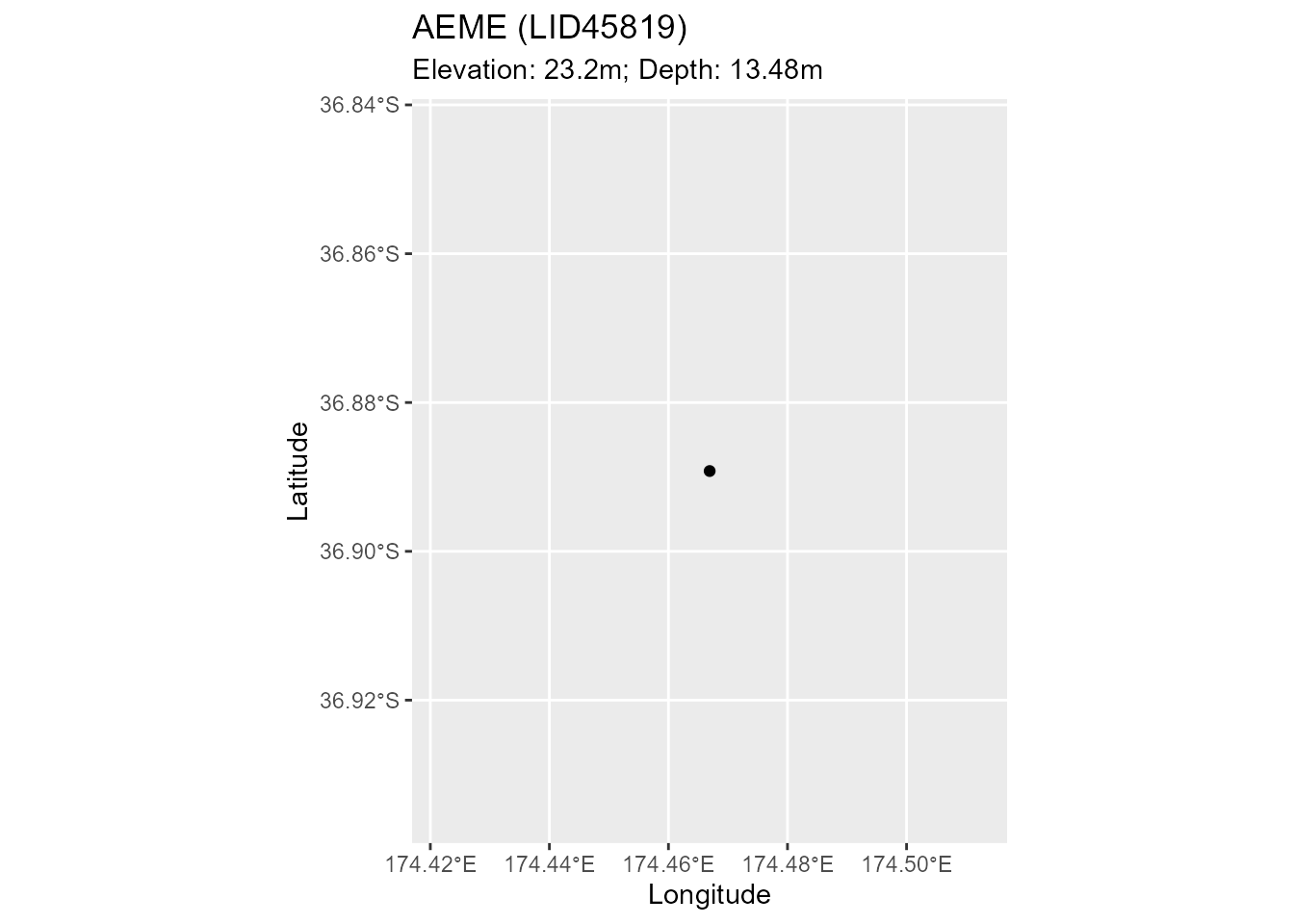
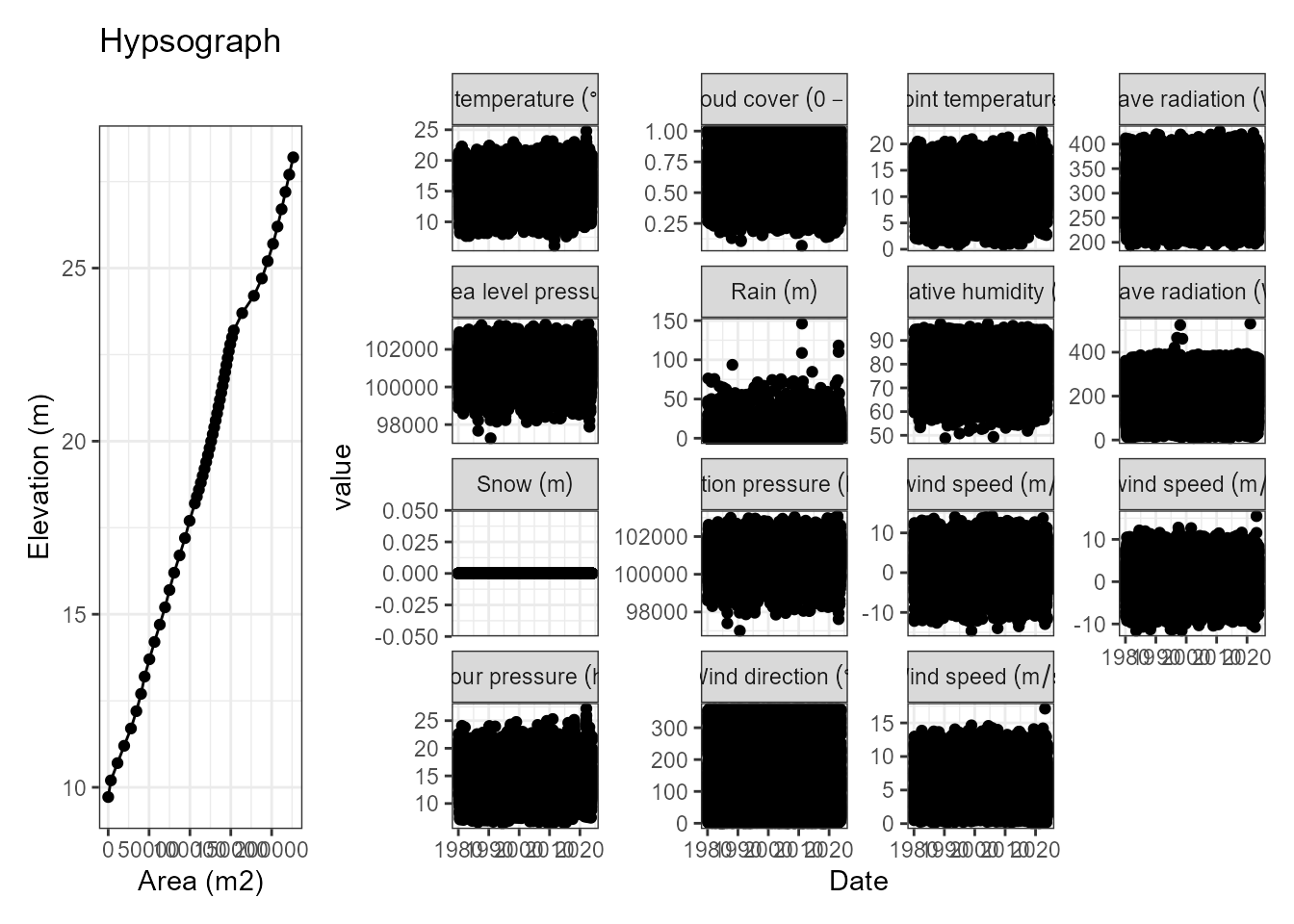
Build Model Ensemble
model_controls <- get_model_controls()
model <- c("dy_cd", "glm_aed", "gotm_wet")
path <- "aeme"
aeme <- build_aeme(path = path, aeme = aeme, model = model,
                   model_controls = model_controls,
                   ext_elev = 5, use_bgc = TRUE)
#> ┌─────┬───────────┬────────────┬────────────┬────────────┐
#> │ zone│ O2 (mg/L) │ NH4 (mg/L) │ NO3 (mg/L) │ FRP (mg/L) │
#> ├─────┼───────────┼────────────┼────────────┼────────────┤
#> │Zone1│ 0.29      │ 0.064      │   NA       │ 0.012      │
#> │Zone2│  5.3      │ 0.005      │   NA       │ 0.008      │
#> └─────┴───────────┴────────────┴────────────┴────────────┘
#> ┌────┬───────────┬───────────┬───────────┬───────────┬──────────┬─────────┬─────────┬─────┬─────┬────┬──────┐
#> │Zone│H lower (m)│H upper (m)│D upper (m)│D lower (m)│Mean D (m)│Area (m2)│Area frac│ O2  │ NH4 │ NO3│ FRP  │
#> ├────┼───────────┼───────────┼───────────┼───────────┼──────────┼─────────┼─────────┼─────┼─────┼────┼──────┤
#> │   1│    0      │ 2.48      │   11      │ 13.5      │ 12.2     │ 3.45e+04│ 0.224   │-38.4│ 6.66│-0.4│0.0983│
#> │   2│ 2.48      │   19      │    0      │   11      │  5.5     │ 1.19e+05│ 0.776   │-21.1│0.652│ 0.1│ 0.036│
#> └────┴───────────┴───────────┴───────────┴───────────┴──────────┴─────────┴─────────┴─────┴─────┴────┴──────┘
#> ┌──────────────┬───────────────┬───────────────┬───────────────┐
#> │O2 (mmol/m2/d)│NH4 (mmol/m2/d)│NO3 (mmol/m2/d)│FRP (mmol/m2/d)│
#> ├──────────────┼───────────────┼───────────────┼───────────────┤
#> │ -24.993      │ 1.998         │ -0.012        │ 0.05          │
#> └──────────────┴───────────────┴───────────────┴───────────────┘
aeme
cfg <- configuration(aeme)